
The Mac cleaner that leaves your data alone.
MacSweep is a free, open-source Mac cleaner written in Rust. It clears junk, finds forgotten large files and duplicates, fully uninstalls apps, cleans each browser site by site and shows your battery and SSD health. It can never delete your passwords, email or app data.
Free and MIT licensed. A 7 MB download. Apple Silicon and Intel, macOS 11 or later.
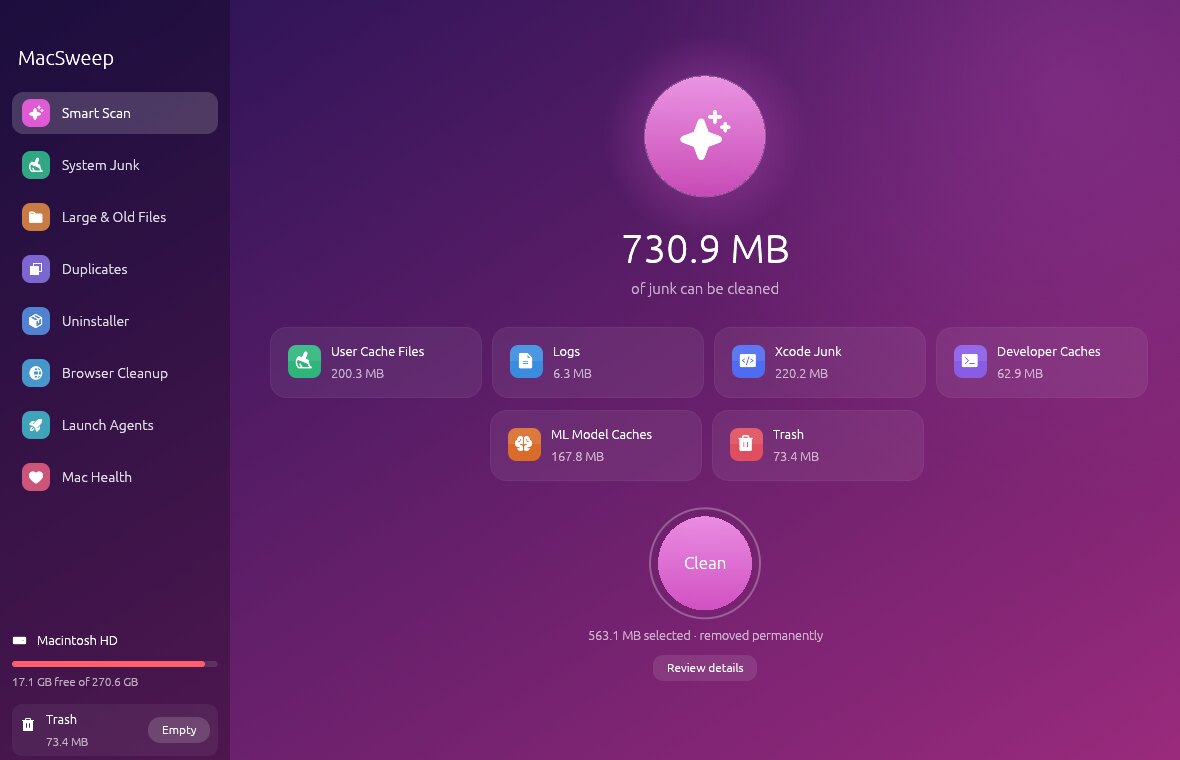
What it cleans, and what it never touches
Some cleaners have wiped people's browser profiles and mailboxes. MacSweep's junk cleaning can only delete inside a fixed list of disposable folders, and it checks every path again right before deleting. Browser Cleanup removes only what you tick. Automated tests guard the right-hand column.
Cleans
Disposable files that apps rebuild on their own.
- App caches ~/Library/Caches
- Logs and crash reports ~/Library/Logs
- Xcode build data DerivedData
- npm and Gradle caches ~/.npm, ~/.gradle
- ML model downloads, opt-in ~/.cache/huggingface
- Trash ~/.Trash
- Browser cache and AI models, if ticked Browser Cleanup
Never touches
Your accounts, history and saved work.
- Browser passwords, cookies and history Chrome, Brave, Edge, Arc
- Firefox and Safari data Profiles, ~/Library/Safari
- Mail and Messages ~/Library/Mail
- Passwords and keychains ~/Library/Keychains
- Cookies and logins ~/Library/Cookies
- Your documents ~/Documents
Everything a Mac cleaner should do
Cleaning tools, Browser Cleanup and Mac Health in one small native app. Nothing runs in the background unless you turn on the optional menu bar monitor.
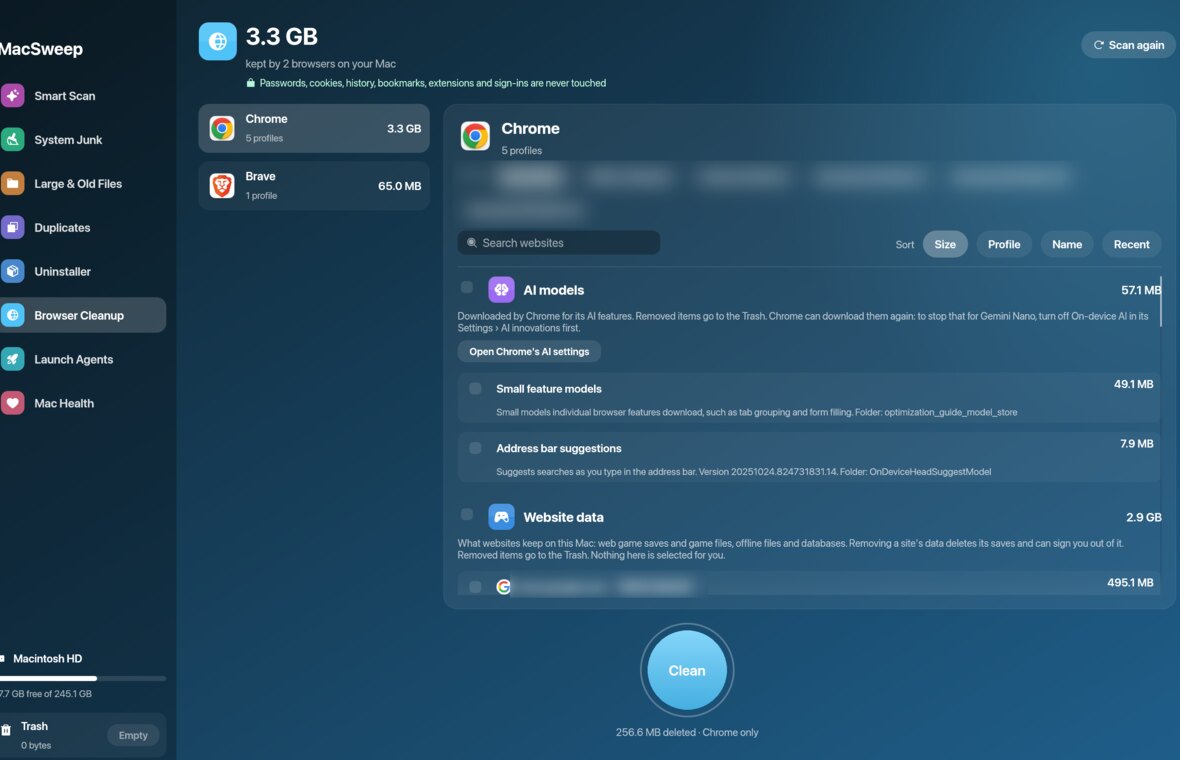
Browser Cleanup
See the AI models each browser downloaded, every website's stored data, including web game saves, and cache. Remove only what you tick.
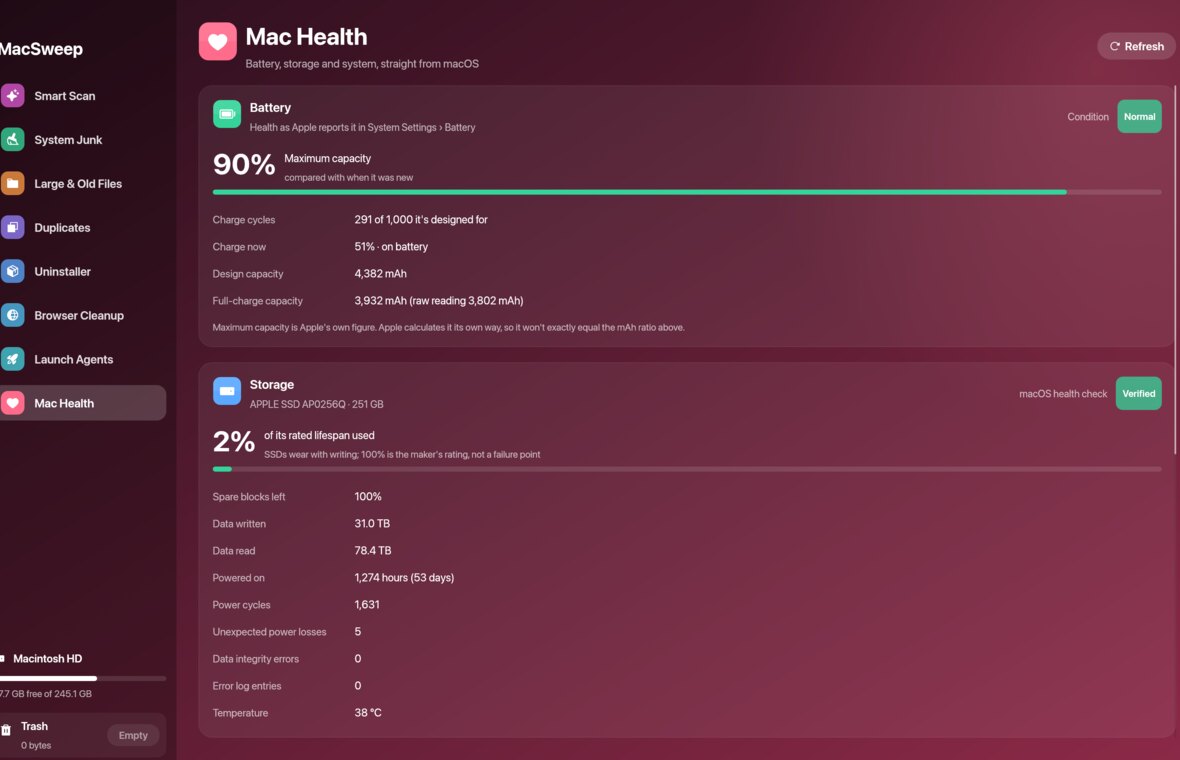
Mac Health
Battery capacity and condition as Apple reports them, and SSD wear from the drive's own health log. Nothing is estimated.
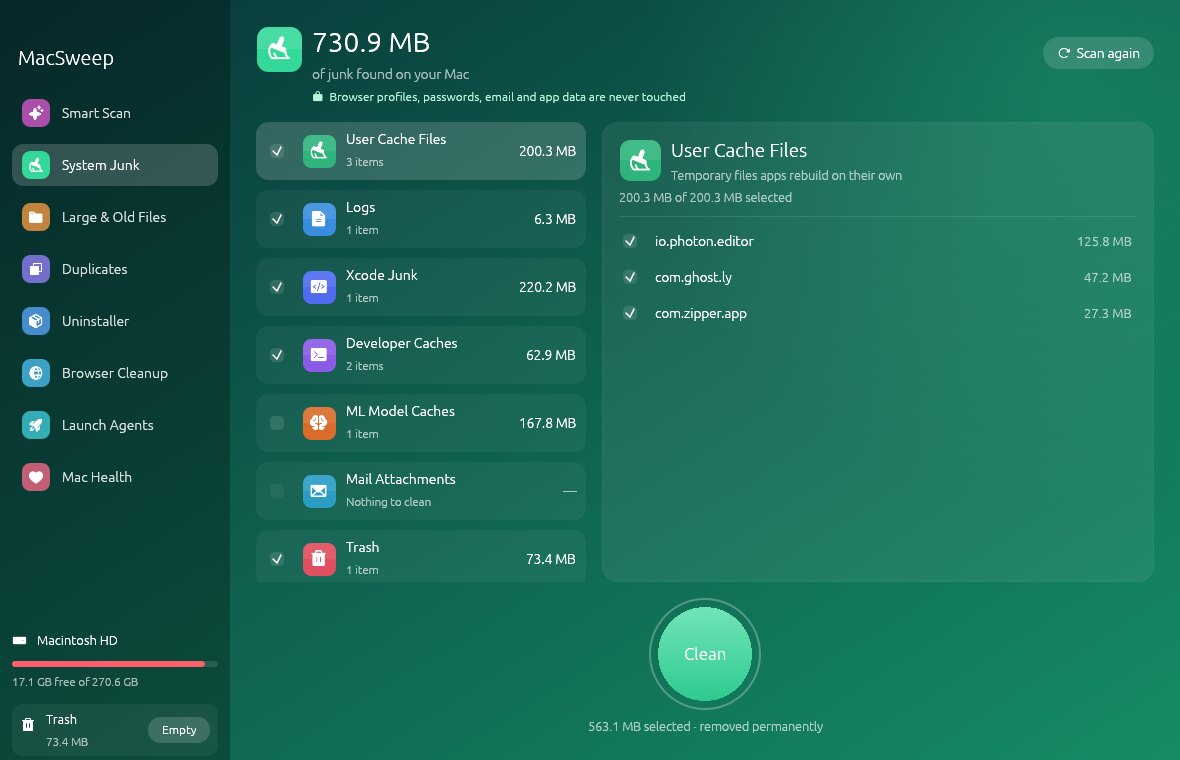
System Junk
Review caches, logs and developer leftovers file by file before anything is removed.
Duplicates
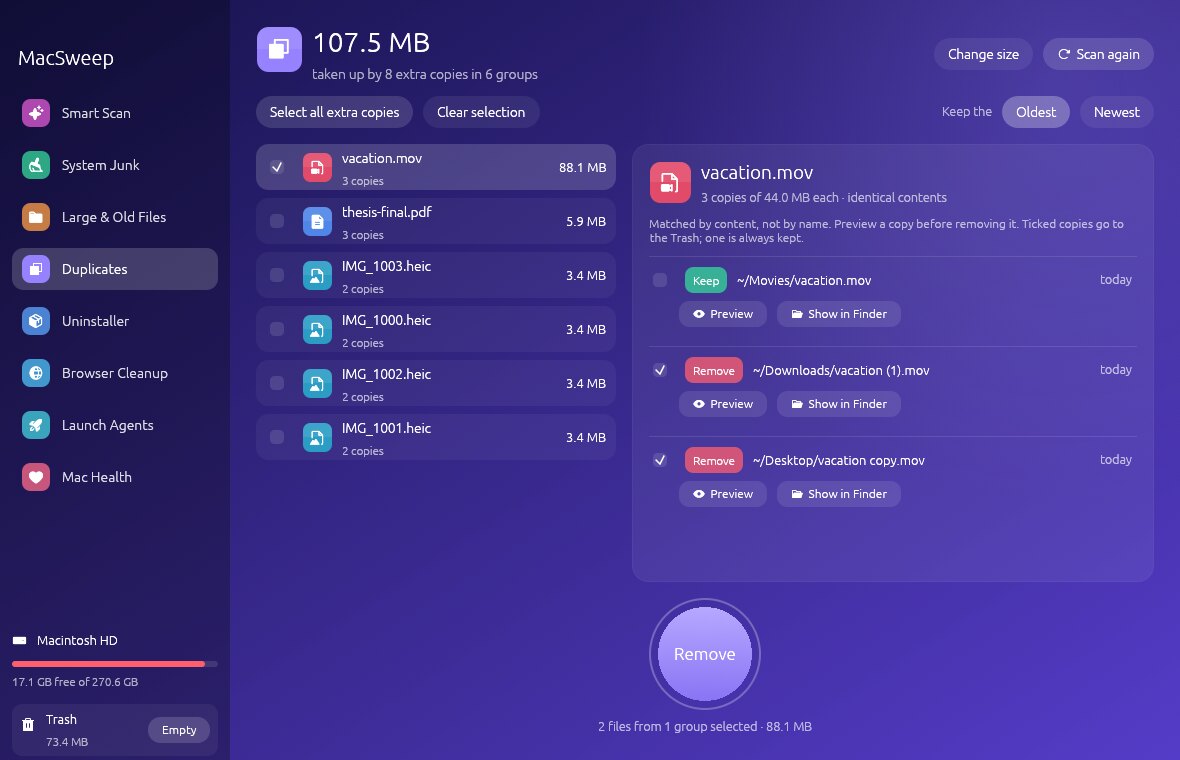
Find exact copies of files in your personal folders. One copy is always kept, and extras go to the Trash.
Uninstaller
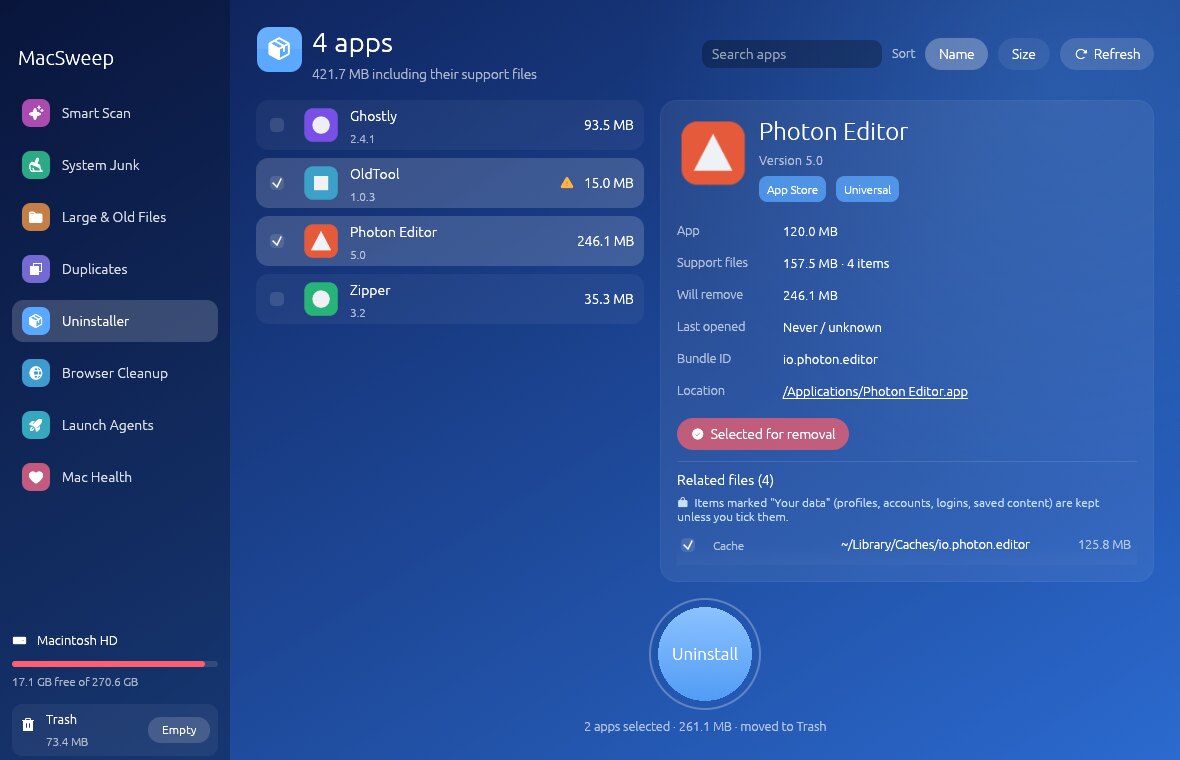
Remove apps with their leftovers. Each app shows its real size, version, chip type and last-opened date.
Large and old files
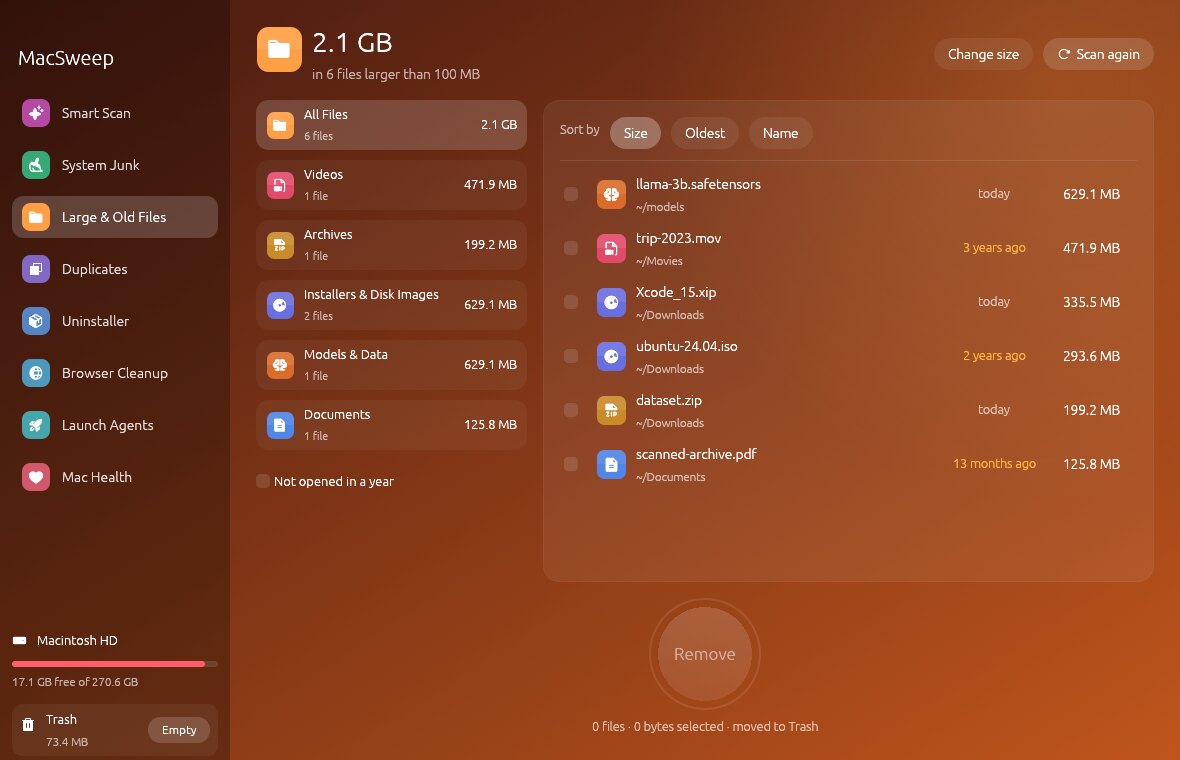
Find forgotten videos, installers, archives and model checkpoints, grouped by type.
Launch agents
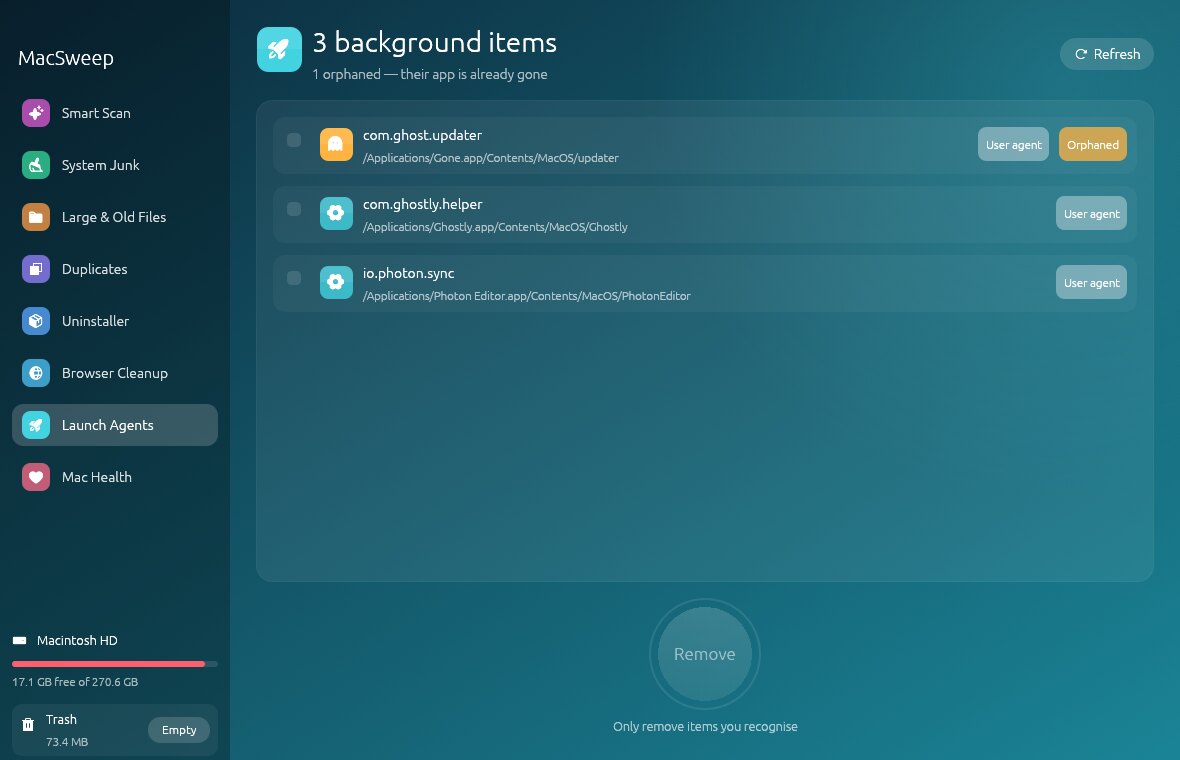
Spot background helpers left behind by apps you already deleted, and remove them.
How MacSweep compares
An honest look at the options people usually ask about.
| Feature | MacSweep | Mole (CLI) | Mole for Mac | CleanMyMac |
|---|---|---|---|---|
| Price | Free | Free | Paid, one-time | Paid |
| Interface | Graphical app | Terminal | Graphical app | Graphical app |
| Open source | Yes, MIT | Yes, GPL-3.0 | No | No |
| Oldest macOS | macOS 11 | See project | macOS 14 | See vendor |
Mole is a far more mature project with many more features. If you're comfortable in Terminal, it's a great choice. MacSweep is for people who want a free graphical app with a strict, tested promise about their data.
Install in a minute
- Download the latest
MacSweep-x.y.z.zipfrom GitHub Releases, unzip it and move MacSweep to Applications. - Allow it the first time. MacSweep isn't notarized by Apple yet, so macOS blocks the first launch. Open it once, then go to System Settings → Privacy & Security and click Open Anyway. Or run
xattr -dr com.apple.quarantine /Applications/MacSweep.apponce in Terminal. - Turn on Full Disk Access in System Settings, Privacy & Security, then relaunch MacSweep. It needs this to see the Trash and Mail attachments.
- Updating later? MacSweep tells you when a new version is out. Replace the app in Applications, then turn Full Disk Access on again: remove MacSweep from the list and add it back, because macOS treats each unsigned version as a new app.
Questions
Is MacSweep free?
Yes. MacSweep is completely free and open source under the MIT license. There's no subscription, no paid tier, no ads and no telemetry. Its only network request is a check at launch for a newer version on GitHub, which sends nothing about you.
Will it delete my browser profiles or email?
No. Junk cleaning can only delete inside a fixed allowlist of cache, log and build folders, and every path is checked again right before deletion. Browser profiles, Mail, Messages, keychains, cookies, app containers and documents are never touched by it, and automated tests guard this. Browser Cleanup removes a website's data only if you tick that site, and never passwords, cookies, history or bookmarks. Uninstalled apps, large files, launch agents and website data go to the Trash, so you can put them back.
Will cleaning my browser delete my web game saves?
Only if you choose to. Browser Cleanup lists each website's stored data separately, which is where browser games keep saves and downloaded game files, and never ticks any of it for you. Cache and AI models are listed apart. Passwords, cookies, history and bookmarks are never touched, and removed website data goes to the Trash.
Chrome downloaded an AI model. Can MacSweep remove it?
Yes. Browser Cleanup lists the AI models each browser downloaded, such as Chrome's Gemini Nano, with their size and purpose. Chrome downloads Gemini Nano again unless you turn off On-device AI in its settings, so MacSweep has a button that opens that setting.
Does MacSweep run in the background?
Only if you turn on the menu bar monitor in Mac Health. It's off by default, and it's a separate tiny helper that shows CPU, memory and free disk in the menu bar. Measured on a MacBook Air M1, it uses about 2% of one core at live updates or 0.5% at every 5 seconds, and about 13 MB of memory. Turning it off removes it completely.
How do I update?
From v0.3.0, MacSweep tells you in its sidebar when a new version is out. Download it, replace the app in Applications, then turn Full Disk Access on again: remove MacSweep from the list and add it back. Releases aren't signed with an Apple developer certificate yet, so macOS treats each version as a new app.
How is it different from Mole?
Mole is an excellent, much more mature open-source cleaner, but its free version runs in Terminal. Its graphical app, Mole for Mac, is a separate paid product for macOS 14 or later. MacSweep is a free, open-source graphical app that runs on macOS 11 or later.
Is it a CleanMyMac alternative?
For the core jobs, yes: cleaning junk, finding large files and duplicates, uninstalling apps with their leftovers, cleaning browsers and managing launch agents, plus battery and SSD health. CleanMyMac has many more features, such as malware scanning and performance tools.
Which Macs does it support?
It's a universal app for Apple Silicon (M1 and later) and Intel Macs running macOS 11 Big Sur or later.
Is this the same as other apps called MacSweep?
No. Several unrelated projects share the name. This MacSweep is the Rust app by nihal4, published at github.com/nihal4/macsweep and listed in awesome-mac and open-source-mac-os-apps.